-
Shop
- Adidas
- Advanced Technologies
- AI Skills Mastery 2026 Collection
- Astrology & Tarot Products
- Beauty
- Beauty Guides Collection
- Best-Sellers
- Car Accessories
- Confidence
- Dating & Social Skills
- Digital Resources
- AI & Technology
- AI Skills
- Budgeting & Saving
- Car Buying & Ownership
- Cozy Feast Collection
- Electronics & Technology
- Emotional Intelligence
- Entrepreneurship & Business Growth
- Financial Education
- Financial Independence
- Financial Mindset & Psychology
- Goal Setting
- Hobbies
- Home Styling & Organization
- Kitchen & Recipes
- Leadership
- Mindfulness
- Mindset
- Motivation
- Online Business
- Parenting & Child Development
- Pet Lifestyle & Wellness
- Positive Thinking
- Productivity
- Self Confidence
- Sleep Improvement
- Smart Life with AI
- Stress Management & Relaxation
- Travel Planning
- Yoga & Fitness
- Yoga & Mind-Body Practices
- Education & Learning
- Family & Parenting
- Fashion
- Alexander McQueen
- Bags
- Bags & Wallets
- Balenciaga
- Belts
- Blazers
- Bottega Veneta
- Brunello Cucinelli
- Burberry
- Chanel
- Chloé
- Dior
- Dolce & Gabbana
- Dresses
- Etro
- Fendi
- Gucci
- Hats & Hair Accessories
- Hoodies & Sweatshirts
- Jacquemus
- Jil Sander
- Keychains
- Kiton
- Luggage
- Miu Miu
- Off-White
- Outerwear
- Prada
- Rick Owens
- Saint Laurent
- Shoes
- Socks & Tights
- Sweaters & Cardigans
- The Row
- Tom Ford
- Tops & Shirts
- Valentino
- Valentino Garavani
- Versace
- Vivienne Westwood
- Watches
- Fashion Accessories
- Furniture
- Gadgets
- Health & Beauty
- Health & Wellness
- Home & Garden
- Home Supplies
- Jewelry
- Kids & Babies
- Kitchen
- Kitchen Best-Sellers
- Nike
- Patio, Lawn & Garden
- Personal Growth
- Personal Style & Fashion
- Pet Care
- Pet Supplies
- Pets
- Smart Home Living Guides
- Sport & Outdoors
- Stress Relief & Relaxation
- Super Deals
- TikTok Growth & Monetization Mastery
- Travel
- Travel & Adventure
- Wealth
- Wellness
- Popular
- Best deals
Baby Sleep AI Apps Explained: Tracking, Patterns, Tips
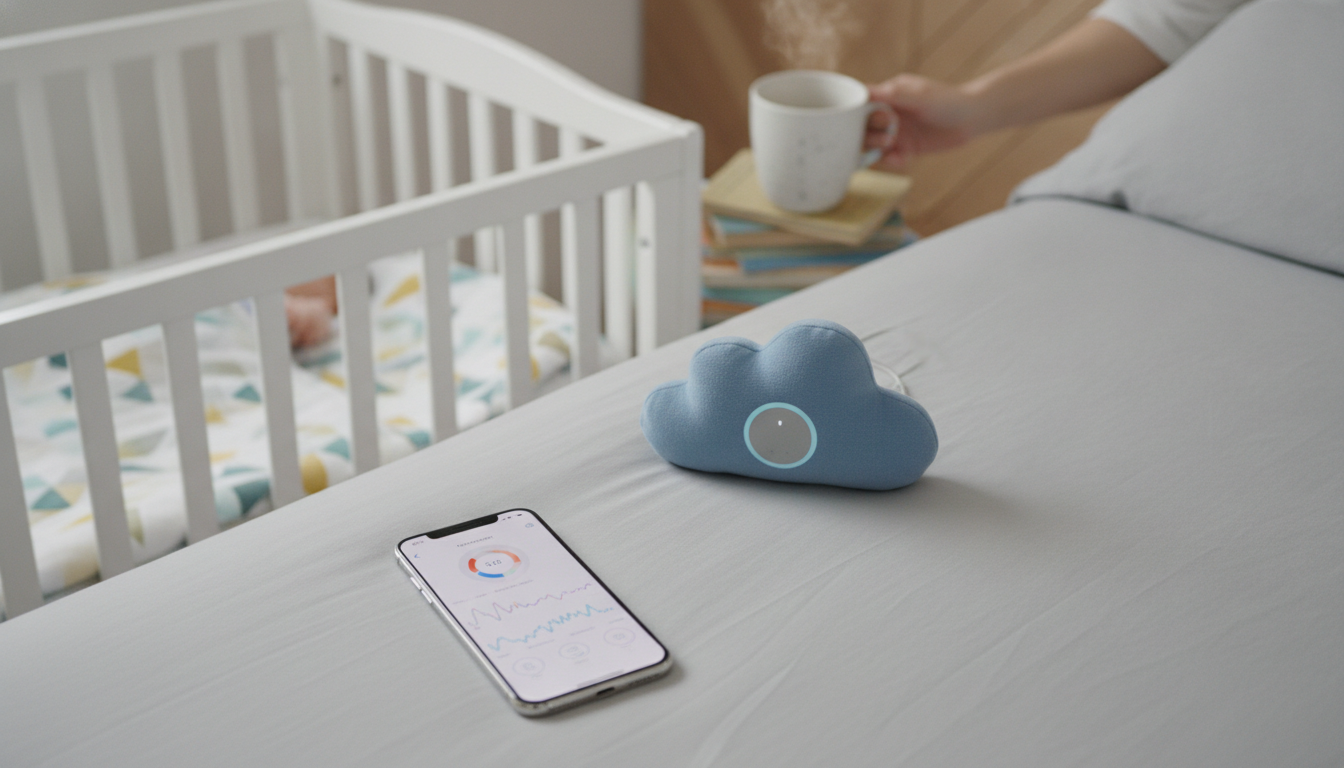
What is the baby sleep AI app?
A baby sleep AI app is a sleep-tracking and coaching tool that uses artificial intelligence to help parents understand a baby’s sleep patterns and make day-to-day decisions with more confidence. Instead of relying only on memory or scattered notes, it organizes sleep data—like naps, nighttime wake-ups, feeding times, and soothing methods—into a clear picture of what’s happening over days and weeks.
Most baby sleep AI apps work by combining what you log (sleep start/end, feeds, diaper changes, fussiness) with smart pattern-detection. Over time, the app can surface trends such as average wake windows, the most common time your baby wakes, or how a late nap affects bedtime. Some also offer tailored suggestions, like adjusting nap timing, refining a bedtime routine, or spotting early signs of schedule drift.
Features vary by app, but common capabilities include:
- Sleep logs and timelines for naps and overnight sleep
- Predicted sleep windows based on recent patterns
- Routine building (bedtime steps, consistent cues, reminders)
- Insights that connect sleep with feeds, growth spurts, or travel
- Multi-caregiver sharing so everyone follows the same plan
It’s important to treat AI guidance as support—not a medical diagnosis. If your baby shows signs of breathing issues, extreme sleepiness, persistent discomfort, or feeding concerns, a pediatrician should be the first stop. For a deeper look at how AI sleep tracking, routines, and logs can support safer nights, read the full guide here: https://charmeta.com/guide-ai-baby-sleep-tracking-routines-logs-safer-nights/.
For Baby Sleep AI Apps Explained: Tracking, Patterns, Tips, the best answer depends on fit, material, care instructions, and how the product will be used day to day.
FAQ
How do I choose a baby sleep tracking app?
Pick one that matches your comfort level with logging and privacy: look for clear data controls, an interface you’ll actually use at 2 a.m., and features you need (shared caregivers, routines, insights). Avoid paying extra for “predictions” if you mainly want a simple log.
Recommended for you

Budget Minimal Beauty Routine: 3-Step AM/PM Glow
Jul 30, 2026












Leave a comment