-
Shop
- Adidas
- Advanced Technologies
- AI Skills Mastery 2026 Collection
- Astrology & Tarot Products
- Beauty
- Beauty Guides Collection
- Best-Sellers
- Car Accessories
- Confidence
- Dating & Social Skills
- Digital Resources
- AI & Technology
- AI Skills
- Budgeting & Saving
- Car Buying & Ownership
- Cozy Feast Collection
- Electronics & Technology
- Emotional Intelligence
- Entrepreneurship & Business Growth
- Financial Education
- Financial Independence
- Financial Mindset & Psychology
- Goal Setting
- Hobbies
- Home Styling & Organization
- Kitchen & Recipes
- Leadership
- Mindfulness
- Mindset
- Motivation
- Online Business
- Parenting & Child Development
- Pet Lifestyle & Wellness
- Positive Thinking
- Productivity
- Self Confidence
- Sleep Improvement
- Smart Life with AI
- Stress Management & Relaxation
- Travel Planning
- Yoga & Fitness
- Yoga & Mind-Body Practices
- Education & Learning
- Family & Parenting
- Fashion
- Alexander McQueen
- Bags
- Bags & Wallets
- Balenciaga
- Belts
- Blazers
- Bottega Veneta
- Brunello Cucinelli
- Burberry
- Chanel
- Chloé
- Dior
- Dolce & Gabbana
- Dresses
- Etro
- Fendi
- Gucci
- Hats & Hair Accessories
- Hoodies & Sweatshirts
- Jacquemus
- Jil Sander
- Keychains
- Kiton
- Luggage
- Miu Miu
- Off-White
- Outerwear
- Prada
- Rick Owens
- Saint Laurent
- Shoes
- Socks & Tights
- Sweaters & Cardigans
- The Row
- Tom Ford
- Tops & Shirts
- Valentino
- Valentino Garavani
- Versace
- Vivienne Westwood
- Watches
- Fashion Accessories
- Furniture
- Gadgets
- Health & Beauty
- Health & Wellness
- Home & Garden
- Home Supplies
- Jewelry
- Kids & Babies
- Kitchen
- Kitchen Best-Sellers
- Nike
- Patio, Lawn & Garden
- Personal Growth
- Personal Style & Fashion
- Pet Care
- Pet Supplies
- Pets
- Smart Home Living Guides
- Sport & Outdoors
- Stress Relief & Relaxation
- Super Deals
- TikTok Growth & Monetization Mastery
- Travel
- Travel & Adventure
- Wealth
- Wellness
- Popular
- Best deals
Rapid Trigger 65% Hall Effect RGB Keyboard Setup Guide
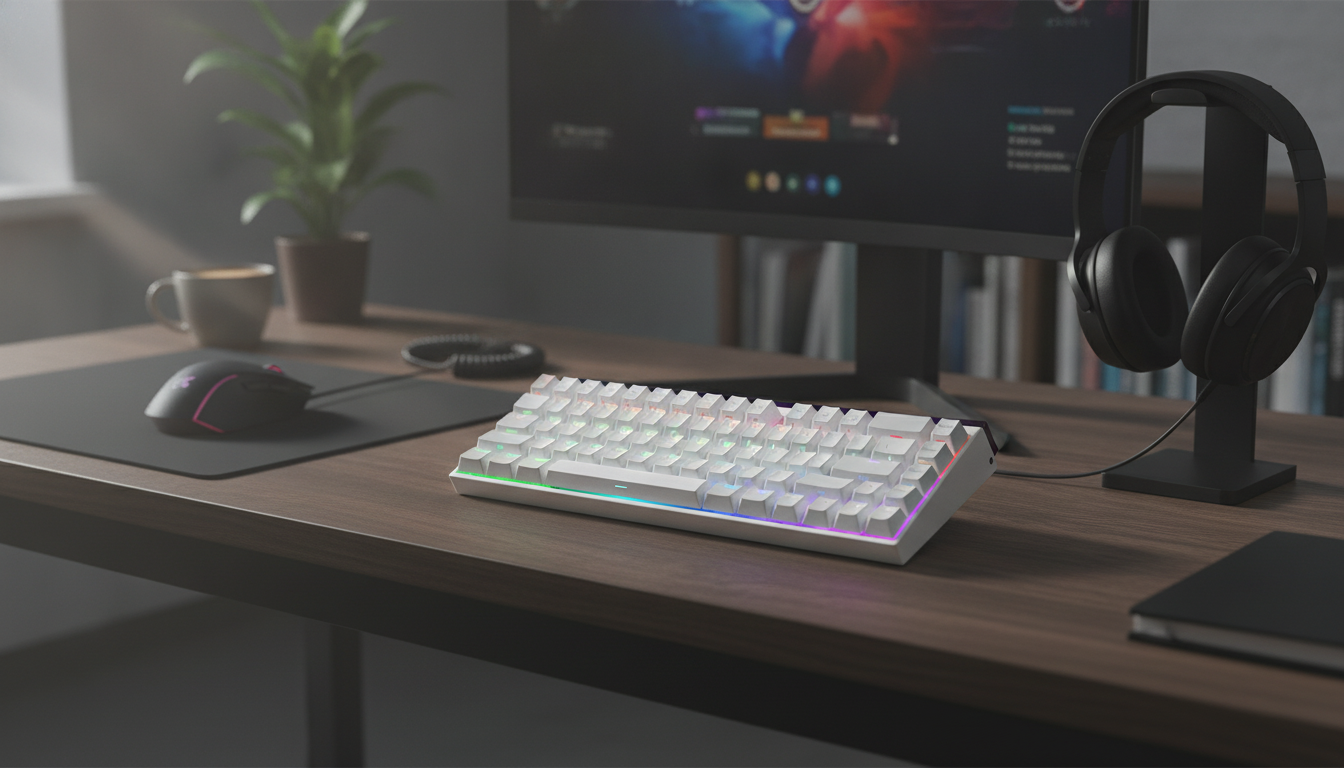
Rapid Trigger Magnetic 65% Gaming Keyboard with RGB and Hall Effect Switches
A compact 65% layout paired with magnetic Hall effect switches can deliver unusually fast key resets and precise actuation control, which is especially useful for competitive movement, strafing, and rapid tapping. This guide breaks down how rapid trigger behavior works, what to expect from a magnetic switch keyboard, and how to set it up for consistent gaming performance—without sacrificing everyday typing comfort.
What makes a magnetic Hall effect keyboard different
Traditional mechanical switches typically rely on metal contact leaves to complete a circuit at a fixed point in the keypress. A magnetic Hall effect keyboard works differently: it uses a small magnet in the switch and a sensor on the PCB to measure key travel without needing physical contact to register an input.
- Hall effect switches use magnets and sensors to measure key travel, rather than relying on metal contact leaves.
- Analog-style sensing enables adjustable actuation points in software on many Hall effect boards.
- Because there are no contact leaves to wear the same way, the feel and triggering can remain consistent over time.
- Ideal use cases: fast movement corrections in shooters, rhythm games, and any scenario where quick press/release matters.
For a simple overview of the underlying physics, see the Encyclopaedia Britannica explanation of the Hall effect.
Rapid trigger explained (and why it feels faster in-game)
On many keyboards, a key must return above a fixed reset point before it can register again. Rapid trigger changes that behavior: instead of waiting for a static reset threshold, the keyboard can re-trigger as soon as the key moves back past a dynamic point based on your motion. In practice, that can make movement keys feel more “connected” to finger motion—especially when you’re making tiny corrections.
- Rapid trigger changes how a key resets: instead of waiting for a fixed reset point, the key can re-trigger as soon as it moves back past a dynamic threshold.
- Practical impact: faster repeated inputs and snappier counter-strafing because the keyboard can register release and re-press with less travel.
- Works best when combined with a short actuation setting that still avoids accidental presses.
- Different games benefit differently: shooters often feel the largest gain, while general typing may prefer a more conservative setup.
Magnetic sensing features and what they do
| Feature | What it controls | Why it matters for gaming |
|---|---|---|
| Adjustable actuation | How far a key must be pressed to activate | Tune for speed (shallower) or control (deeper) |
| Rapid trigger behavior | How quickly a key can reset and re-trigger based on movement | Faster repeated taps and cleaner movement changes |
| Per-key tuning (when available) | Different actuation/behavior on different keys | Set movement keys fast while keeping other keys safer |
| RGB lighting control | Effects, brightness, per-key color (varies by software) | Visibility and personalization without affecting performance |
65% layout: compact control without losing essential keys
A 65% keyboard is a popular compromise between minimal size and day-to-day usability. You typically keep arrow keys and a small navigation column, while the function row and numpad are removed. That reclaimed space can matter more than it sounds when you’re aiming at low sensitivity or playing on a smaller desk.
- A 65% keyboard typically keeps arrow keys and a compact navigation cluster while removing the function row and numpad.
- More mouse space can help with lower sensitivity aiming and broader arm movement.
- Layer shortcuts replace the missing keys; learning the key layers improves day-to-day usability.
- Best fit for: desk setups where space is limited or players who prefer a tighter keyboard-to-mouse distance.
RGB lighting: practical settings for gaming and streaming
RGB can be pure style, but it can also help with quick key recognition and clean on-camera visibility. The most useful lighting setups are usually the simplest: easy to read, low glare, and consistent across sessions.
Setup and tuning checklist (fast, controlled, consistent)
For deeper technical background on how keyboards communicate inputs to a computer, the USB-IF documentation library is a helpful reference point (look for HID-related resources).
Build, connectivity, and everyday typing considerations
Rapid Trigger Magnetic 65% Gaming Keyboard: product snapshot
Looking for a compact board built around adjustable actuation and fast reset behavior? The Rapid Trigger Magnetic 65% Gaming Keyboard with RGB and Hall Effect Switches is priced at 109.01 USD and is currently in stock. It’s a strong fit for players who want quick press/release control for movement-heavy titles while still keeping a practical 65% layout.
At-a-glance details
| Item | Details |
|---|---|
| Model | Rapid Trigger Magnetic 65% Gaming Keyboard with RGB and Hall Effect Switches |
| Layout | 65% |
| Switch type | Magnetic Hall effect |
| Lighting | RGB |
| Price | 109.01 USD |
| Stock status | In stock |
Desk-friendly add-on (optional)
For long gaming sessions, keeping a dedicated drink on the desk can be as important as any peripheral. If you want something that looks clean in a setup photo while still being practical, consider the Elegant 280ML Ceramic Coffee Cup with Saucer – Striped Latte & Tea Mug (in stock).
FAQ
Does rapid trigger help in every game?
The biggest gains usually show up in games with frequent tap/release timing—especially shooters (counter-strafing, jiggle peeks) and rhythm games. In slower-paced titles, the difference can feel smaller, and a conservative setup may be more comfortable.
Are Hall effect switches good for typing, or only for gaming?
They can be excellent for typing, especially if you choose a slightly deeper actuation to reduce accidental keystrokes. If your keyboard software supports profiles, keeping separate gaming and typing configurations helps maintain accuracy without giving up speed.
How should actuation be set to avoid misfires?
Start at a mid-range actuation and adjust gradually in small steps, then test in real gameplay rather than only in short drills. Keep keys that trigger abilities, chat, or ultimates a bit deeper than movement keys to reduce costly accidental activations.
Recommended for you
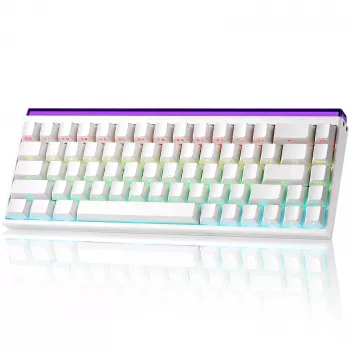
Choose Her Perfect Ring + Proposal Plan eBook Guide
Jun 18, 2026










Leave a comment