-
Shop
- Adidas
- Advanced Technologies
- AI Skills Mastery 2026 Collection
- Astrology & Tarot Products
- Beauty
- Beauty Guides Collection
- Best-Sellers
- Car Accessories
- Confidence
- Dating & Social Skills
- Digital Resources
- AI & Technology
- AI Skills
- Budgeting & Saving
- Car Buying & Ownership
- Cozy Feast Collection
- Electronics & Technology
- Emotional Intelligence
- Entrepreneurship & Business Growth
- Financial Education
- Financial Independence
- Financial Mindset & Psychology
- Goal Setting
- Hobbies
- Home Styling & Organization
- Kitchen & Recipes
- Leadership
- Mindfulness
- Mindset
- Motivation
- Online Business
- Parenting & Child Development
- Pet Lifestyle & Wellness
- Positive Thinking
- Productivity
- Self Confidence
- Sleep Improvement
- Smart Life with AI
- Stress Management & Relaxation
- Travel Planning
- Yoga & Fitness
- Yoga & Mind-Body Practices
- Education & Learning
- Family & Parenting
- Fashion
- Alexander McQueen
- Bags
- Bags & Wallets
- Balenciaga
- Belts
- Blazers
- Bottega Veneta
- Brunello Cucinelli
- Burberry
- Chanel
- Chloé
- Dior
- Dolce & Gabbana
- Dresses
- Etro
- Fendi
- Gucci
- Hats & Hair Accessories
- Hoodies & Sweatshirts
- Jacquemus
- Jil Sander
- Keychains
- Kiton
- Luggage
- Miu Miu
- Off-White
- Outerwear
- Prada
- Rick Owens
- Saint Laurent
- Shoes
- Socks & Tights
- Sweaters & Cardigans
- The Row
- Tom Ford
- Tops & Shirts
- Valentino
- Valentino Garavani
- Versace
- Vivienne Westwood
- Watches
- Fashion Accessories
- Furniture
- Gadgets
- Health & Beauty
- Health & Wellness
- Home & Garden
- Home Supplies
- Jewelry
- Kids & Babies
- Kitchen
- Kitchen Best-Sellers
- Nike
- Patio, Lawn & Garden
- Personal Growth
- Personal Style & Fashion
- Pet Care
- Pet Supplies
- Pets
- Smart Home Living Guides
- Sport & Outdoors
- Stress Relief & Relaxation
- Super Deals
- TikTok Growth & Monetization Mastery
- Travel
- Travel & Adventure
- Wealth
- Wellness
- Popular
- Best deals
HD Indoor Security Camera: Night Vision & Two-Way Talk
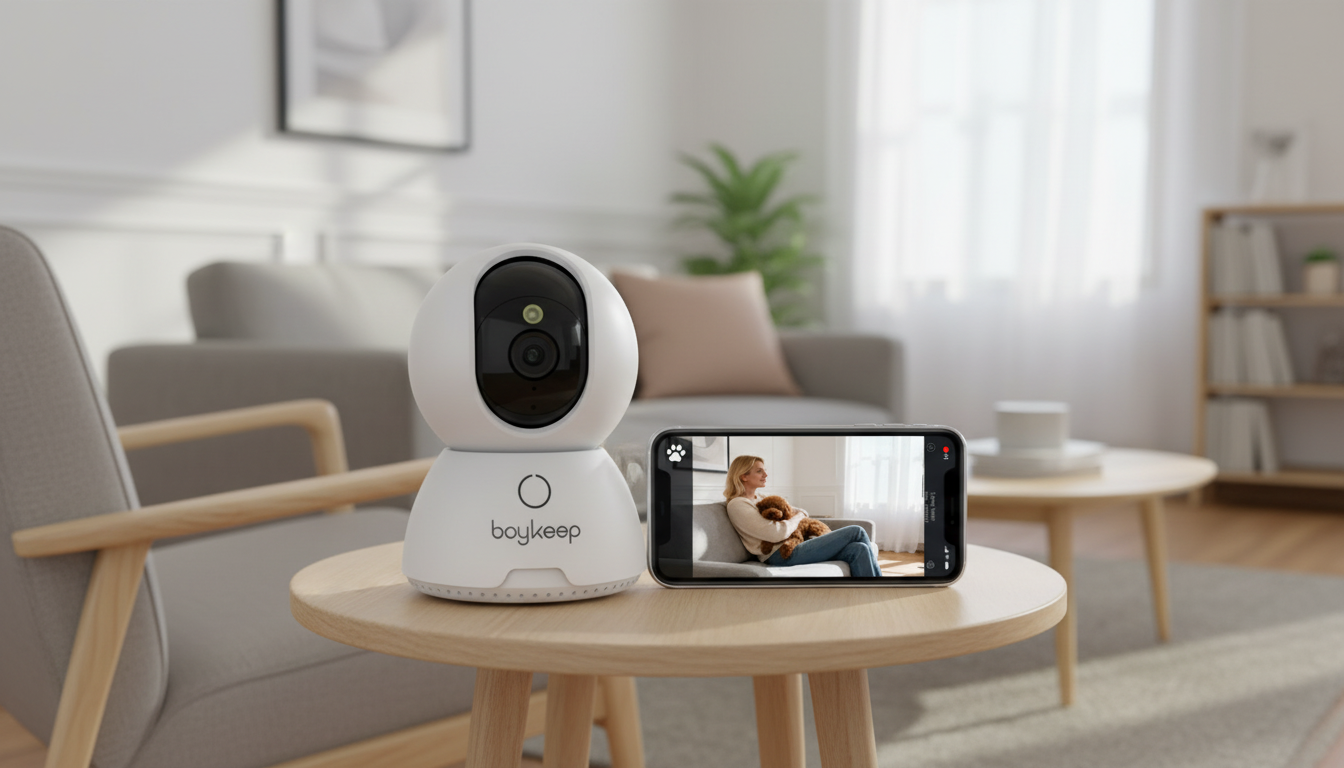
HD Smart Security Camera with Night Vision & Two-Way Talk for Home Monitoring
A compact indoor security camera can cover entryways, nurseries, pets, and common areas without complicated setup. An HD smart camera with night vision and two-way talk is built for everyday check-ins—helping you see what’s happening, respond quickly to motion, and communicate through the app when it matters. Below is a practical guide to what this type of camera does well, what features make the biggest difference, and how to place and use it for clearer video and more dependable alerts.
What This Camera Is Designed to Do
Indoor cameras like the HD Smart Security Camera with Night Vision & Two-Way Talk are made to deliver immediate visibility without a full alarm-system install. They’re especially helpful for day-to-day monitoring where you want quick answers—“Did the kids get home?” “Is the dog barking?” “Did someone enter the hallway?”—without adding wiring or drilling through walls.
- Provide clear live video for quick check-ins at home or away
- Switch to night vision automatically so low-light rooms remain visible
- Enable two-way talk for greeting family, calming pets, or warning unwanted visitors
- Support day-to-day monitoring in bedrooms, living rooms, hallways, garages, or home offices
- Offer a simple way to add coverage without installing a full alarm system
Key Features That Matter Most
Not all indoor cameras feel the same in real use. The details below are the features that typically impact clarity, response time, and how useful the camera feels day after day.
| Feature | Why it helps | Best use case |
|---|---|---|
| HD video | Sharper detail and easier identification | Front room, hallway, near doors |
| Night vision | Visibility in darkness without turning on lights | Nursery, living room at night, garage |
| Two-way talk | Talk to people or pets from the app | Deliveries, pet check-ins, family communication |
| Motion alerts | Prompts fast response to activity | Entry points, high-traffic rooms |
| Remote viewing | Check the home from anywhere with internet | Travel, workday monitoring |
- HD video: Higher resolution makes it easier to distinguish faces, read labels on boxes, or understand what caused an alert. If the camera is covering a door, the extra detail can be the difference between “someone walked by” and “a familiar person came in.”
- Night vision: Infrared illumination keeps the room visible after lights go off. Placement matters: reflective surfaces can cause haze or “white-out” at night.
- Two-way talk: A built-in microphone and speaker let you respond in real time—helpful for household communication and quick deterrence.
- Motion alerts: Notifications are only useful if they’re not constant. Sensitivity settings and (when available) motion zones help reduce false triggers.
- Remote viewing and sharing access: Being able to check the feed from another room—or share viewing access with a partner—turns the camera into a practical household tool rather than a set-it-and-forget-it gadget.
Where to Place It for Better Coverage
Camera placement is often the biggest factor in video quality. A good angle can reduce glare, improve face visibility, and cut down on needless alerts.
- Aim at likely paths: Doors, stairways, hallways, and main living spaces are usually the highest-value views.
- Mount at a smart height: High enough to reduce tampering, but not so high that faces become hard to see. If faces are consistently angled away, lower the camera slightly and tilt down.
- Manage backlighting: Bright windows can silhouette people. Angle slightly away from the window or place the camera opposite the window to balance the scene.
- Avoid reflective surfaces at night: Mirrors, glossy TV screens, framed photos, or shiny countertops can create night-vision glare.
- Stay within strong Wi-Fi range: Weak signal leads to lag, delayed alerts, or dropped live view—especially when multiple devices are streaming.
- Nursery tip: Keep cords out of reach and consider a wider angle that shows the room without feeling too intrusive.
Setup and Daily Use Tips
A few small setup choices can make the experience smoother and reduce frustration over time.
Privacy and Security Settings to Enable
Helpful references:
NISTIR 8259A: IoT Device Cybersecurity Capability Core Baseline and
FTC guidance on IoT and consumer security.
Who This Camera Fits Best
Product Snapshot
| Item | Details |
|---|---|
| Product | HD Smart Security Camera with Night Vision & Two-Way Talk |
| Price | $34.51 |
| Availability | In stock |
More in-stock picks for home and workspace
Common Issues and Easy Fixes
FAQ
Does night vision work in complete darkness?
Yes—infrared night vision is designed to work in dark rooms, but clarity depends on distance and the camera’s IR strength. Reflections from mirrors, glossy surfaces, or shooting through glass can reduce sharpness or cause haze.
Can two-way talk be used to speak to deliveries at the door?
It can work if the camera is positioned close enough to the entryway for the microphone and speaker to carry clearly. For best results, place the camera in an indoor spot facing the door area and test audio volume to minimize echo.
How can motion alerts be reduced at night?
Lower motion sensitivity and use activity zones to focus on doorways rather than the whole room. Avoid pointing toward TVs, moving shadows, or windows where passing headlights can trigger repeated alerts.
















Leave a comment