-
Shop
- Adidas
- Advanced Technologies
- AI Skills Mastery 2026 Collection
- Astrology & Tarot Products
- Beauty
- Beauty Guides Collection
- Best-Sellers
- Car Accessories
- Confidence
- Dating & Social Skills
- Digital Resources
- AI & Technology
- AI Skills
- Budgeting & Saving
- Car Buying & Ownership
- Cozy Feast Collection
- Electronics & Technology
- Emotional Intelligence
- Entrepreneurship & Business Growth
- Financial Education
- Financial Independence
- Financial Mindset & Psychology
- Goal Setting
- Hobbies
- Home Styling & Organization
- Kitchen & Recipes
- Leadership
- Mindfulness
- Mindset
- Motivation
- Online Business
- Parenting & Child Development
- Pet Lifestyle & Wellness
- Positive Thinking
- Productivity
- Self Confidence
- Sleep Improvement
- Smart Life with AI
- Stress Management & Relaxation
- Travel Planning
- Yoga & Fitness
- Yoga & Mind-Body Practices
- Education & Learning
- Family & Parenting
- Fashion
- Alexander McQueen
- Bags
- Bags & Wallets
- Balenciaga
- Belts
- Blazers
- Bottega Veneta
- Brunello Cucinelli
- Burberry
- Chanel
- Chloé
- Dior
- Dolce & Gabbana
- Dresses
- Etro
- Fendi
- Gucci
- Hats & Hair Accessories
- Hoodies & Sweatshirts
- Jacquemus
- Jil Sander
- Keychains
- Kiton
- Luggage
- Miu Miu
- Off-White
- Outerwear
- Prada
- Rick Owens
- Saint Laurent
- Shoes
- Socks & Tights
- Sweaters & Cardigans
- The Row
- Tom Ford
- Tops & Shirts
- Valentino
- Valentino Garavani
- Versace
- Vivienne Westwood
- Watches
- Fashion Accessories
- Furniture
- Gadgets
- Health & Beauty
- Health & Wellness
- Home & Garden
- Home Supplies
- Jewelry
- Kids & Babies
- Kitchen
- Kitchen Best-Sellers
- Nike
- Patio, Lawn & Garden
- Personal Growth
- Personal Style & Fashion
- Pet Care
- Pet Supplies
- Pets
- Smart Home Living Guides
- Sport & Outdoors
- Stress Relief & Relaxation
- Super Deals
- TikTok Growth & Monetization Mastery
- Travel
- Travel & Adventure
- Wealth
- Wellness
- Popular
- Best deals
130000RPM Turbo Air Duster: Clean PC, Car Vents, Home
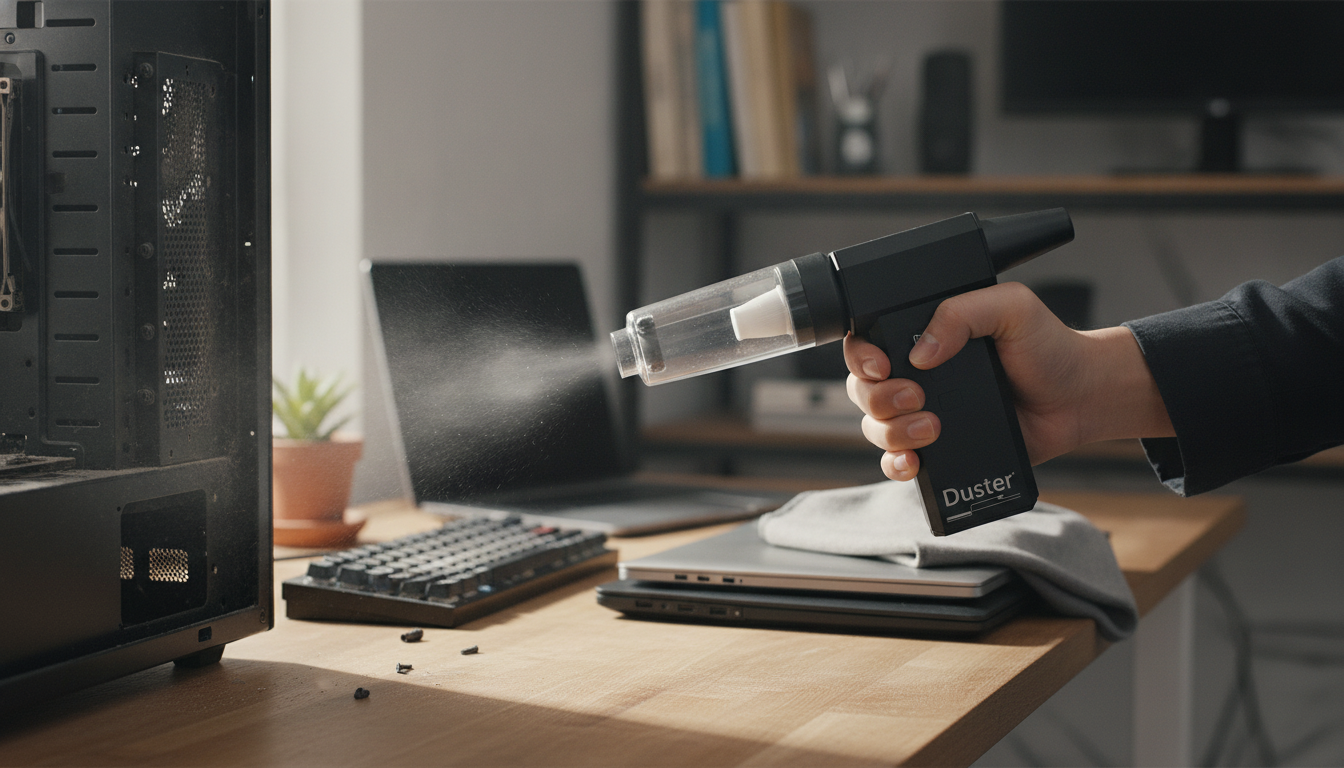
130000RPM Handheld Air Duster & Turbo Blower for PC, Car, and Home Cleaning
A high-speed handheld air duster can take the place of disposable canned air for regular cleanup, especially where cloths, brushes, and vacuums struggle to reach. A 130000RPM turbo blower is built to push a concentrated stream of air into tight gaps—lifting dust from PC heatsinks, keyboard seams, car vents, and household crevices—without the cold residue or gradual pressure loss that can happen with canned air. Below is a practical guide to what this type of blower does best, how to use it safely, and what to consider for settings, attachments, and long-term care.
What a 130000RPM turbo blower is designed to do
A high-RPM handheld blower focuses on controlled air output rather than suction. That makes it especially useful when you need to dislodge debris from narrow channels and textured surfaces.
- Delivers a focused air stream for dust removal in tight spaces where brushes and cloths struggle.
- Useful for electronics cleaning (PC cases, GPU/CPU cooler fins, keyboards) when used with safe distance and proper hold techniques.
- Works for car detailing tasks like vents, seat rails, dashboard seams, and console gaps without leaving moisture residue like some cleaners can.
- Helps with everyday home cleanup: window tracks, door seals, small appliance vents, and workshop debris.
The real advantage is consistency: instead of running out mid-job, you can do quick “maintenance passes” more often—light bursts that prevent heavy buildup that later requires deeper disassembly.
Best uses around PC, car, and home
Where this tool shines is the combination of “lift and relocate.” You lift dust with airflow, then relocate it with a vacuum, microfiber cloth, or a quick wipe. That one-two approach keeps particles from resettling.
High-impact cleaning targets
| Area | Typical dust trap | Tip for better results |
|---|---|---|
| Desktop PC | Heatsink fins, intake filters | Hold fans still; use short bursts from a few inches away |
| Laptop exterior | Keyboard gaps, vents | Angle airflow sideways; avoid pushing debris deeper into vents |
| Car interior | Vents, seat rails, console seams | Blow first, vacuum second to remove loosened debris |
| Home appliances | Vents and grills | Power off/unplug and let components cool before cleaning |
- PC: Blow dust out of intake filters and radiator fins; stabilize fans to prevent overspin; use short bursts instead of continuous blasting.
- Keyboard and desk setup: Clear crumbs and dust from key gaps, speaker grills, and ports; angle airflow to push debris outward.
- Car: Target HVAC vents, cup-holder seams, infotainment creases, and trunk corners; follow with vacuuming to remove displaced debris.
- Home: Clean air purifier pre-filters, baseboard edges, and small vented devices; keep airflow away from fragile paper stacks and loose items.
Safe cleaning habits for electronics
High airflow is helpful, but electronics benefit most from a careful routine. The goal is to remove dust without forcing it deeper into a port, snapping a connector, or overspinning a fan.
- Power down and unplug devices; for desktops, switch off the PSU and disconnect the power cable.
- Avoid spinning fans at high speed—hold blades in place with a non-metal tool or finger (only when powered off).
- Use controlled bursts and maintain distance to reduce the chance of dislodging connectors or forcing debris into sensitive areas.
- Do not use on wet surfaces; avoid combining with liquid cleaners unless the surface is fully dry.
- If static is a concern, keep contact minimal, avoid rubbing plastics, and work in a low-static environment when possible.
For a deeper look at electrostatic discharge basics, see the guidance from the ESD Association. For general device cleaning practices, Microsoft also provides practical safety tips here: Tips for cleaning your device.
Speed levels, airflow control, and attachments
Most handheld turbo blowers work best when you treat power like a “scalpel,” not a hammer. Higher settings are useful, but not always the right first move.
Battery, charging, and portability considerations
Care and maintenance for consistent performance
Product overview: 130000RPM High-Speed Handheld Air Duster & Turbo Blower
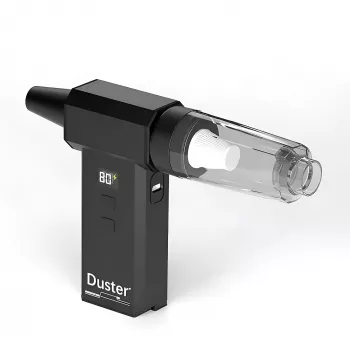
If you’re looking for a reusable alternative to disposable canned air, the 130000RPM High-Speed Handheld Air Duster & Turbo Blower for PC, Car & Home is designed for quick, targeted cleanups across electronics, vehicles, and common household dust traps. It’s most effective when you pair airflow with a follow-up vacuum or wipe so loosened debris doesn’t simply resettle elsewhere.
Quick specs snapshot
| Item | Details |
|---|---|
| Product | 130000RPM High-Speed Handheld Air Duster & Turbo Blower for PC, Car & Home |
| Price | 46.82 USD |
| Availability | In stock |
For a small, practical home upgrade that pairs well with a tidier workspace or garage bench, you can also consider improved lighting—such as the Luxury Retro French Romantic Copper Crystal Wall Lamp—so dust and debris are easier to spot before they build up.
FAQ
Is a high-speed handheld air duster safe for cleaning a PC?
Yes when used correctly: power off and unplug the PC, hold fans still to prevent overspin, keep a short working distance, and use controlled bursts so you don’t force dust deeper into ports or heatsinks.
Can it replace canned air for keyboards and electronics?
For many routine cleaning jobs, a reusable blower can replace canned air. For best results, angle airflow to push debris outward and then vacuum or wipe so loosened dust doesn’t settle back into the device.
What’s the best way to use it for car vents and interior cracks?
Use a narrow nozzle, aim along the seam to lift debris, and vacuum afterward to remove what you dislodge instead of redistributing it across nearby surfaces.
Recommended for you

Beginner Retinol Routine: A Simple 8-Week Ramp Plan
Jun 14, 2026













Leave a comment